

Client Workflow: Participating in a Batch Swap
Initial Setup and Information Gathering To participate in a batch swap, users begin their participation by querying the server through theGetInfo endpoint to retrieve (GetInfoResponse) essential network parameters like round intervals, exit delays, and amount limits that clients need for proper operation.
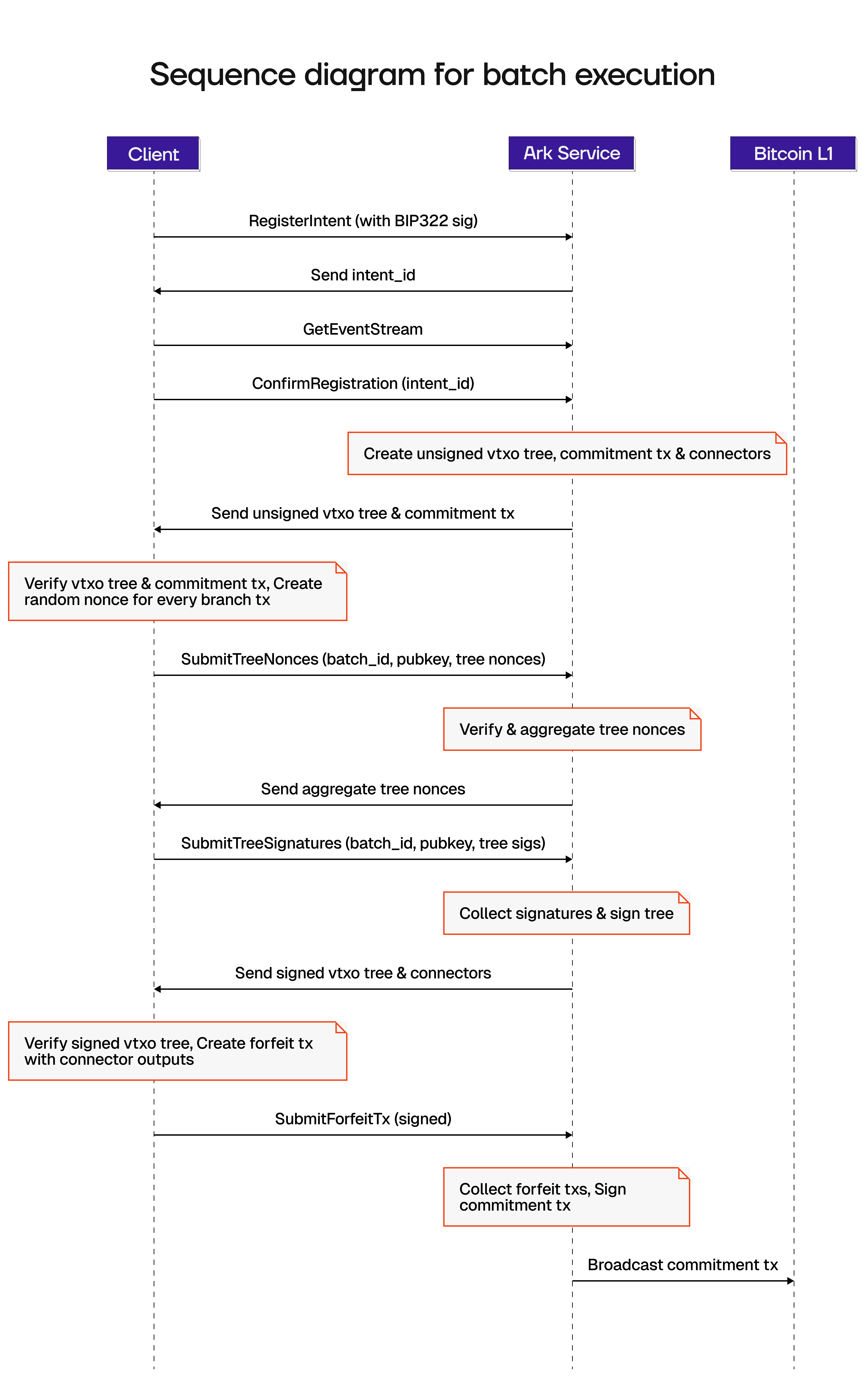
Client Workflow: Step by Step
Intent Registration
- Client creates and registers an intent (
RegisterIntent) as a PSBT signed with BIP322, defining inputs and outputs - Server stores it under a unique
intent_id - Client can revoke an intent via
DeleteIntent
Batch Updates & Confirmation
- Once selected for batch participation, client subscribes to
GetEventStreamfor batch updates - Client confirms participation (
ConfirmRegistration) via theintent_id
Tree Signing & Multi-Signature Coordination (MuSig2)
- Server builds unsigned VTXO tree, commitment transaction and connector outputs
- Server sends unsigned VTXO tree and commitment transaction to client
- Client verifies data and creates random nonces for every branch transaction
- Client submits tree nonces (
SubmitTreeNonces) - Server verifies tree nonces, aggregates and returns them
- Client submits tree signatures (
SubmitTreeSignatures) - Server verifies, aggregates and finalizes via signing the VTXO tree and connectors and returning them to the client
- Client verifies data
Forfeit Transaction Handling
- Client creates forfeit transactions with connector outputs
- Client submits signed forfeit transactions (
SubmitSignedForfeitTxs) - If initial boarding, users also sign the commitment transaction